Wednesday, August 17, 2011

Success!

Hello all,
 After a week and a half of waiting for the last part for my car, I finally contacted the company I had ordered from, only to find that the part was on backorder, and they had no clue when they might get one in... So I promptly canceled my order with them and ordered the part, a bearing race, from somewhere else.  It arived today, and after a couple hours of putting everything back together, I was able to take it out and drive it around! SUCCESS!!!
 It was really dusty/dirty from sitting around in the shop, so I gave it a bit of a washing:


Here it sits; another addition to our long lineup of vehicles:


I took Mom out for a spin after chores, and she took the following picture of me before we left:


Here's hoping that it works well for many miles to come! I am still not sure if I am going to keep it, or try to sell it again for a profit... Either way I will be driving it around for a little while to make sure everything is working properly. :-)  Anybody need a good car? ;-)

  Andrew B.

Tuesday, August 16, 2011

Rain, rain and more RAIN!

Question: How do you make hay when it won't stop raining for more than three days in a row?
Answer:  You don't!

  We have been having a lot of wild weather this year, which has made it quite difficult to make hay... We got another round of thunderstorms last night, which dumped about 1.1" of rain here at the farm, and several inches over by our other fields...  We have a lot of water standing in the ditches, and some places where the roads are under water again...  It will be several days before we can hay again.

 In the mean time, we have been working on several projects, including getting the swather fixed up and ready to go, working on a few things on the combines, etc.  This morning on our way over to our field by Hazelton, we were driving our old field pickup, when suddenly we herd a clanking noise of some sort, saw a little steam, and knew something was wrong... After a short inspection, we discovered that the old block heater had somehow managed to blow out of the engine block, which then allowed all of the coolant to blow out as well... Thankfully we were only a couple of miles from home, so we had Cora and Jacob bring out my pickup and the van; Dad and I took my pickup over to Hazelton, and Cora and Jacob came back with the van.   We were able to get a new block heater this afternoon, and have it all put back together already.

 That's all for now!
   Andrew B.

Wednesday, August 10, 2011

HELP! My computer is getting slow!

Does this sound familiar to you? You may be thinking "I need a new computer."  STOP!  You most likely do NOT need a new computer -- you just need to do a bit of Spring Cleaning, so to speak...
It is an established fact that computers collect all kinds of unwanted stuff over time, which has the combined effect of slowing your once-quick computer to a crawl... But how can I get rid of all that stuff? Thankfully it is really pretty easy:

  1. Clean up your hard drive.   Windows has a nice little utility to help you get rid of all of those old unnecessary files that are taking up extra space on your hard drive. To find it, open your start menu, and point to "All Programs" then "Accessories", then in "System Tools" click on "Disk Cleanup".  Alternately, you can just type "cleanmgr" into the search/run box and hit "Enter"   The computer may then prompt you to confirm which disk you want to clean up, (If you have multiple hard drives) simply click "Ok" to continue... The computer will then prompt you to confirm what you want to delete, (it is safe to select any or all of the check boxes, it will not delete any of your personal files.) And click "Ok" to finish. You're done!
  2. Defragment your hard drive. When your computer saves a file to the hard drive, it pretty much just plunks it down in the most convenient place... Imagine if you were to throw all of your clothes into one dresser drawer, without any kind of folding or sorting whatsoever. While it is true that all of your clothes would be in your dresser, it would probably take a long time to find a pair of socks... This is the same problem your computer has: while all of the files are there, they are all just thrown together in some random way, and the computer takes a long time to find the pair of socks it is looking for... Thus the process called Defragmentation, where your computer simply rearranges all of the files into a nice little stack. :-)  IMPORTANT NOTE: Windows Vista and Windows 7 automatically run the defragmentor on a schedule, so if you are running either of those Operating Systems, rest easy, your computer is a step ahead of you! :-)  For those of you who are running XP or earlier, you will find the disk defragmentor in the same directory as "Disk Cleanup" in section one above...
  3. Clean up your computer's Registry.   The computer's registry is much like an inventory sheet, it is where the computer looks when it wants to know where to find something. The registry keeps an active list of all of the installed programs, as well as many settings and a whole lot of other information.  The problem is that over time the registry ends up collecting a lot of unneeded information, which does nobody any good, and only serves to confuse the computer... Unfortunately, Windows still doesn't come with a registry cleaner, so for this step you will need a good 3rd party software: I use CCleaner from Piriform.  If you need help using CCleaner, check out this quick tutorial.
  4. Use a good Anti-Virus program.  This is an important step in protecting your computer from malicious software, viruses and malware.  Although there are many good programs out on the market these days, most of them require you to purchase some software or a subscription to the service. Seeing as I am a notorious cheapskate, my favorite program is AVG AntiVirus Free. Yup, absolutely FREE!  I can unreservedly endorse their software, as I have been using it for severely years now on multiple computers with absolutely NO problems! You can pick up a copy here: AVG AntiVirus FREE    NOTE: The above four suggestions are mostly pretty easy, and can be done by anybody. The remaining suggestions are a little more risky, and should only be attempted by those who are familiar with their computers, and who know what I am talking about... CONTINUE AT YOUR OWN RISK!
  5. Uninstall un-needed, un-necessary, and un-used programs.  If you know you are never going to use a program again, you can uninstall it and regain the wasted hard drive space, and often also free up computer resources. To uninstall a program, open your start menu, then click "Control Panel". Once in the control panel, click on "Add or Remove Programs" (Windows XP) or "Uninstall a program" (Windows Vista/7)  This will bring up a list of installed programs on your computer, which you can go through, and then decide if you want to get rid of any of them...
  6. Disable startup tasks/services.   WARNING! Disabling system services may cause your computer to become irresponsive, to act strangely, or otherwise cause undesirable results. THIS IS NOT FOR BEGINNERS! PROCEED AT YOUR OWN RISK!    This is an advanced process, although one which is completely reversible.    If you are really wanting to increase your startup time, or to decrease the amount of active threads, you can disable some unnecessary startup tasks... You can access the System Configuration window by typing "msconfig" into the run/search box and hit "Enter".  From the following window, you can enable or disable startup programs and services under the respective tabs... For more information on this subject you may want to check out the following site: Computer Tips Free
Well, I hope that helps you all to get your computers running faster, and more productively.  If you have any questions, feel free to leave them in the comments, and I will do my best to answer them.
    Andrew B.

Monday, August 8, 2011

A lesson in HD...

I was just looking at my blog, and realized I should really take down that old poll question... Then I thought "Why don't I do a post on what HD is, and some of the advantages and disadvantages thereof."  So thus the following post:

For those of you who do not know what HD is, it is most often referring to the term High Definition. What is High Definition? It simply means that the image displayed has a high number of Pixels, a term meaning very tiny individual dots of color that make up the image.
 Now, for many years the standard image size for videos was 640 x 480, meaning 640 pixels wide, by 480 pixels high.  This is known as Standard Definition. A normal DVD is almost always recorded in Standard Definition, so most of you are probably familiar with SD content. I should note here that SD content that is also Widescreen is sometimes recorded with a 720 x 480 pixel ratio, but is still considered Standard Definition...

 A quick aside on Aspect Ratio: I am sure all of my readers still remember the old TV sets and computer monitors, the ones that were about as deep as they were wide, and weighed nearly a ton... Many of you probably still own one. :-) These old screens all have a Aspect Ratio of 4:3, meaning they are 4 units of measurement wide, to 3 units of measurement high. In the case of the TVs, where they are displaying SD content, the unit of measurement is 160 pixels, which just happens to come out to 640 x 480...  In the case of the computer monitors the resolution is usually a bit higher, quite often 1280 x 1024 pixels...   
 I am sure you all have also seen a screen that is "Widescreen" -- simply meaning that the image is significantly wider than on a "Standard" screen.  Most common in HDTVs and laptop computer screens, these widescreens quite often have a pixel aspect ratio of 16:9, similarly meaning there are 16 units of width to 9 units of height.  Common resolutions in this category are 1920 x 1080,  1280 x 720, and 1440 x 900*. (*Not true 16:9, but very common in laptop screens...)

Now back to our discussion of HD video...  There are actually several different HD standards, but the most popular are 720p, and 1080i. These are simply short for 1280 x 720 Progressive, and 1920 x 1080 Interlaced.   I know I am getting more and more confusing, but stick with me...   Progressive means that the entire image that is being displayed is changed/refreshed at the same time, whereas Interlaced means that the image is changed/refreshed in two separate steps: first the odd numbered horizontal rows, then the even numbered ones.  Progressive video usually looks a little bit smoother than Interlaced video, but there really isn't much difference. Back to our main discussion... :-)

 So now that you all know what the technical terms mean, the questions remain: What does this all really mean?  Is HD really better than SD? Should I go HD? The answers aren't all that simple...  
  Basically, a HD video will look clearer or less blurry than a SD video, most of the time. It is possible for a well done SD video to actually look better than a poorly done HD video, so HD is not necessarily "Better"...  However, HD is the way of the future, and there are many inexpensive camcorders now on the market that will allow you to preserve your family memories in the clearest possible format: HD.   HD is still in it's infancy though, and unless you are willing to spend ~$100 for a BlueRay disk burner, you are stuck with keeping all of that beautiful footage on your camcorder or computer, or actually converting the video down to SD in order to put it on a standard DVD, which kind of defeats the purpose of having a HD camcorder...

 So is HD better? Maybe. Is it going to be around for a long time? Definitely. Should I make the leap and go HD? That depends on you, your tastes, and your wallet... :-) Is SD going to be around in 20 years? Probably, but much like VHS tapes, it is the way of the past.

 Hopefully that gave some of you a little bit clearer idea of what HD is, although there are probably much better explanations elsewhere, like over at Wikipedia: http://en.wikipedia.org/wiki/HD_video

  Best get to bed,
    Andrew B.

Thursday, July 28, 2011

First cutting of Alfalfa, DONE!

Hello all,
  It has been quite a while since I have taken the time to post here, mostly because I have been really busy with making hay... And in my spare time, I have been working on my car. :-) I have been making good progress with that project, although there is still a lot more to be done... More on that later...

 Today we finally finished up with our first cutting of Alfalfa! We would have been done a couple of days ago, except a large wind blew around all of the windrows on our last 100 acres, so we had to spend a lot of time raking it all up again...   Thankfully we were able to salvage most of the hay.  Now that we are done with the Alfalfa, we have to work on haying the ditches, then it will be time to start on the second cutting of Alfalfa again... Never a dull moment while working on a farm!

 Here are a couple of pictures of my car project:


 Hmm, looks a little bit sad...


Whoa! What happened to the wheels!


Oh, there it is!


Wow! What a mess:


Transmission parts!


CAUTION: DO NOT TRY THIS AT HOME!
(At least not without a good service manual...)


 Feel dizzy?

  Apparently there was a bearing that went out in the transmission, which then took out several other bearings, a couple of bushings, and essentially the entire planetary gear system... If you look closely in the following picture, you can see the smashed teeth on the gear:


One of the many bad bearings:


I have got the transmission pretty much all back together now, although I am still waiting for a bearing and a couple of special spacers that I ordered... I also have to replace a couple of seals in the differential part of the transaxle as well... But it is coming along quite well!

 Best get to bed now,

    Andrew B.

Sunday, July 10, 2011

New wheels! Episode 5...

(Introduction:  .... La ta ta ta    ta DAH!...)   "Welcome back for the 5th episode of 'New Wheels', your local auto show featuring everything from fix-um-ups to the latest in style and design. This week we will be checking out the newest addition around the studios, a 2000 model Chrysler Cirrus!"

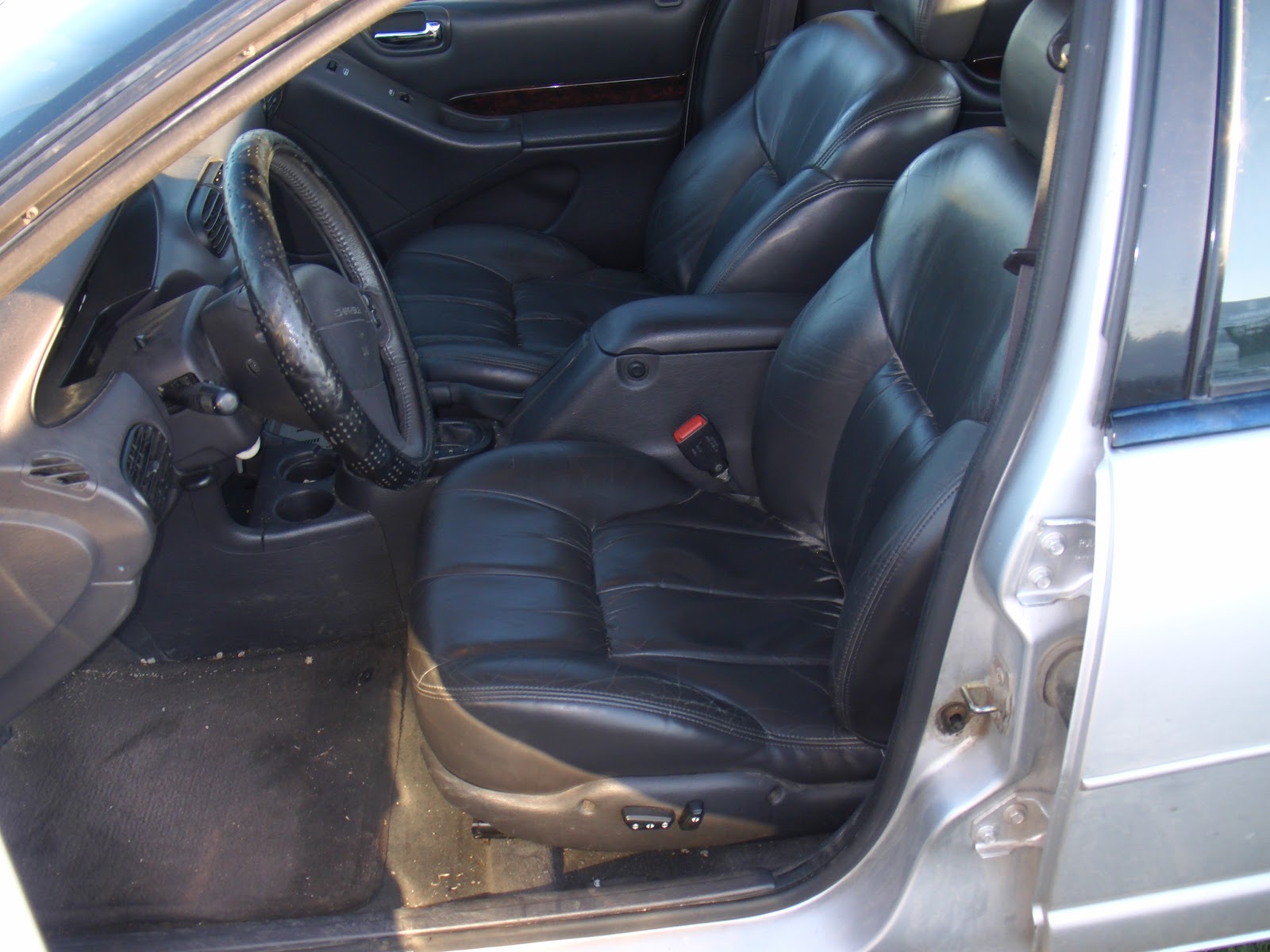
Well, that might be a good introduction for a radio show, but maybe not for a blog post... :-) I never would have guessed this morning that I would own a car tonight... It is amazing how fast life can change! Here is a picture (or a couple):


I have been looking for a good deal on a nice little car for a while, and when I came in for lunch today I had a couple extra minutes so I looked at http://www.bismanonline.com/, (our local FREE online classifieds,) and saw this car listed for $475! Why so low? Well, the transmission is bad... And it has 165,000 miles on it, but what do you get for less than $500 anymore? Sooooooooo, seeing as I know that good deals don't last very long on BisManOnline, I gave the seller a call, and we ended up going up and picking it up this afternoon. Now I just need a lot of time to take it all apart and rebuild the transmission... :-)  There are a couple other minor problems, as in the front bumper and grill are in a little tough shape, and the radio has been removed...


I am just about done with my 4-wheeler project, which is turning out quite well! I have the motor all put back together and in the quad now, and have actually had it running for a couple of minutes. I am stuck waiting for a couple of little covers that I ordered, or it would be all the way back together by now... :-) It seems to run quite well though, PTL!


Best get to bed now,
   Andrew B.

Saturday, July 9, 2011

A couple more videos and a new poll...

Hello all,
  Just a quick post to put up a couple more videos of the Garrison Dam, and also to inform you of the new poll here on my blog.  I would appreciate your feedback!

Here is a video of the Garrison Dam spillway:


And one of the powerhouse/regulatory outlets:


Enjoy!