Showing posts with label Computers. Show all posts

Wednesday, August 10, 2011

HELP! My computer is getting slow!

Does this sound familiar to you? You may be thinking "I need a new computer."  STOP!  You most likely do NOT need a new computer -- you just need to do a bit of Spring Cleaning, so to speak...
It is an established fact that computers collect all kinds of unwanted stuff over time, which has the combined effect of slowing your once-quick computer to a crawl... But how can I get rid of all that stuff? Thankfully it is really pretty easy:

  1. Clean up your hard drive.   Windows has a nice little utility to help you get rid of all of those old unnecessary files that are taking up extra space on your hard drive. To find it, open your start menu, and point to "All Programs" then "Accessories", then in "System Tools" click on "Disk Cleanup".  Alternately, you can just type "cleanmgr" into the search/run box and hit "Enter"   The computer may then prompt you to confirm which disk you want to clean up, (If you have multiple hard drives) simply click "Ok" to continue... The computer will then prompt you to confirm what you want to delete, (it is safe to select any or all of the check boxes, it will not delete any of your personal files.) And click "Ok" to finish. You're done!
  2. Defragment your hard drive. When your computer saves a file to the hard drive, it pretty much just plunks it down in the most convenient place... Imagine if you were to throw all of your clothes into one dresser drawer, without any kind of folding or sorting whatsoever. While it is true that all of your clothes would be in your dresser, it would probably take a long time to find a pair of socks... This is the same problem your computer has: while all of the files are there, they are all just thrown together in some random way, and the computer takes a long time to find the pair of socks it is looking for... Thus the process called Defragmentation, where your computer simply rearranges all of the files into a nice little stack. :-)  IMPORTANT NOTE: Windows Vista and Windows 7 automatically run the defragmentor on a schedule, so if you are running either of those Operating Systems, rest easy, your computer is a step ahead of you! :-)  For those of you who are running XP or earlier, you will find the disk defragmentor in the same directory as "Disk Cleanup" in section one above...
  3. Clean up your computer's Registry.   The computer's registry is much like an inventory sheet, it is where the computer looks when it wants to know where to find something. The registry keeps an active list of all of the installed programs, as well as many settings and a whole lot of other information.  The problem is that over time the registry ends up collecting a lot of unneeded information, which does nobody any good, and only serves to confuse the computer... Unfortunately, Windows still doesn't come with a registry cleaner, so for this step you will need a good 3rd party software: I use CCleaner from Piriform.  If you need help using CCleaner, check out this quick tutorial.
  4. Use a good Anti-Virus program.  This is an important step in protecting your computer from malicious software, viruses and malware.  Although there are many good programs out on the market these days, most of them require you to purchase some software or a subscription to the service. Seeing as I am a notorious cheapskate, my favorite program is AVG AntiVirus Free. Yup, absolutely FREE!  I can unreservedly endorse their software, as I have been using it for severely years now on multiple computers with absolutely NO problems! You can pick up a copy here: AVG AntiVirus FREE    NOTE: The above four suggestions are mostly pretty easy, and can be done by anybody. The remaining suggestions are a little more risky, and should only be attempted by those who are familiar with their computers, and who know what I am talking about... CONTINUE AT YOUR OWN RISK!
  5. Uninstall un-needed, un-necessary, and un-used programs.  If you know you are never going to use a program again, you can uninstall it and regain the wasted hard drive space, and often also free up computer resources. To uninstall a program, open your start menu, then click "Control Panel". Once in the control panel, click on "Add or Remove Programs" (Windows XP) or "Uninstall a program" (Windows Vista/7)  This will bring up a list of installed programs on your computer, which you can go through, and then decide if you want to get rid of any of them...
  6. Disable startup tasks/services.   WARNING! Disabling system services may cause your computer to become irresponsive, to act strangely, or otherwise cause undesirable results. THIS IS NOT FOR BEGINNERS! PROCEED AT YOUR OWN RISK!    This is an advanced process, although one which is completely reversible.    If you are really wanting to increase your startup time, or to decrease the amount of active threads, you can disable some unnecessary startup tasks... You can access the System Configuration window by typing "msconfig" into the run/search box and hit "Enter".  From the following window, you can enable or disable startup programs and services under the respective tabs... For more information on this subject you may want to check out the following site: Computer Tips Free
Well, I hope that helps you all to get your computers running faster, and more productively.  If you have any questions, feel free to leave them in the comments, and I will do my best to answer them.
    Andrew B.

Thursday, March 10, 2011

Problem solved!

I apologize for the technical difficulties, but I believe I have the bugs worked out now. Lesson learned: Do not use SVRT (Smart Video Rendering Technology, a feature of PowerDirector that allows you not to have to re-render video if it isn't being changed...) when you want to upload to YouTube. Somehow it doesn't produce the correct bitstream or something... Whatever the reason, it works much better if you take the time and render the whole video, not just the parts that have changed... Anyway, enough technical mumbo-jumbo!
 I did re-upload my first videos now, so if you had linked to my old ones, you will have to reset your links... I am also uploading some more videos to YouTube right now, however I don't know when I will get around to posting them here. You can always just check out my YouTube channel here: http://www.youtube.com/user/ManofCourage18
 Goodnight!
  Andrew B.

Sunday, February 20, 2011

For Sale:

For sale:
Computers:


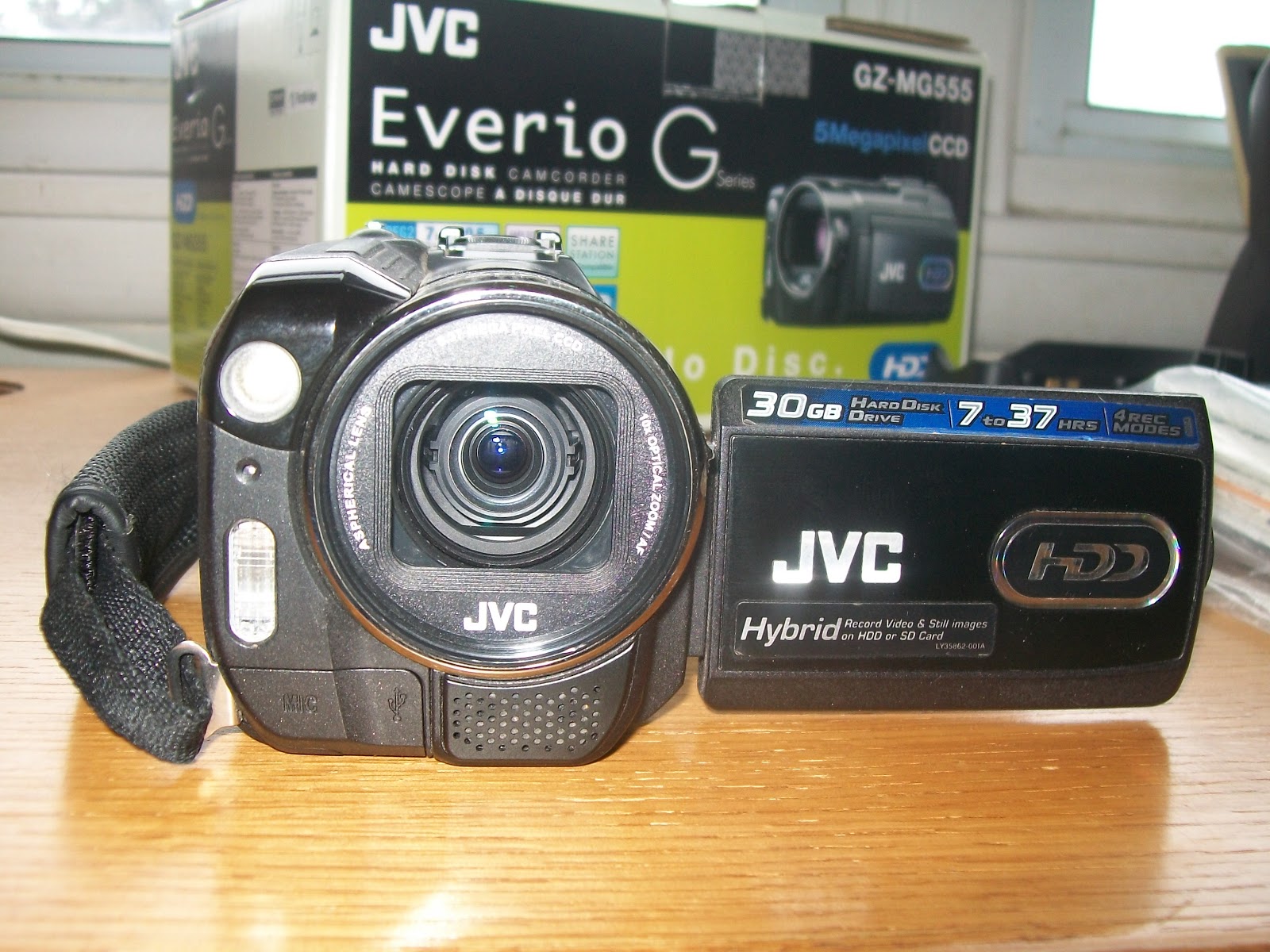
Camcorder:


And Geese!


For complete listings, check out my page over on BisManOnline, the area's most popular (FREE!) online ad website: http://www.bismanonline.com/user_andrew
 Andrew B.

Wednesday, January 26, 2011

Disappointment...

I have recently been trying to find a decent high-range consumer camcorder that fits my needs, (And budget) when I was pointed to the Canon EOS Rebel T2i video-capable DSLR. Yesterday, I went to BestBuy in Bismarck, and was able to get my hands on one for a while and get a feel for the camera. WOW! I have to say I was impressed! I had taken along a SDHC card so I could bring home some footage for comparison with some other cameras, and I have to say the footage is very impressive. The difference between the T2i and a Canon HF-M31 which I also got some footage from is like night and day... The HF-M31 had terrible motion trailing, and poor stabilization compared to the T2i... I thought I had found something, until I read the following sentences from http://www.digitalcamerainfo.com/content/Canon-Rebel-T2i-Digital-Camera-Review-21736/Video-Features.htm :
 "However, the camera does have file size limitations of 4GB or 30 minutes — at which the clip will automatically stop recording when reached. You can begin recording again as a new clip, but you must press the record button to start recording again."
 That sounds like an annoying problem, but something that could be dealt with. The real deal breaker came at the bottom of the page when I read:
 "The T2i also suffers from overheating issues, which is something we've seen from most video-capable DSLR cameras. It is unclear how long the camera can record video before automatically shutting down due to sensor overheating, but we got an internal temperature increase warning from the T2i after roughly 45 minutes of continual use in video mode. When this warning appears, Canon recommends you stop using video mode on the T2i and let the camera rest, which isn't something you may necessarily be able to do if you're in the middle of an important shoot."

 Ouch! That I could not deal with, as I do mostly event recording which often ends up being a couple of hours at least.  O well, storing the footage from the T2i would have been a problem anyway, as it records at a bit rate of 47 Mbps! Even the standard definition footage is very large, at 22 Mbps it takes up almost as much room as most HD camcorders do! Needless to say, the quality is very good!
 So now I am back to browsing the web for the best camcorders that don't cost a fortune, while trying to save up a fortune to purchase one! :-) The search goes on... Anybody have a good suggestion?
  Andrew B.

Wednesday, December 8, 2010

Blog updating, again...

Hello everybody!
  Today is a nice cold "Almost Winter" day here in ND, the temperature is currently 6.3° outside with a light breeze from the East. There must have been fog again overnight, because everything is covered with a good layer of frost... :-) It is really quite beautiful, but sitting here in front of my computer and looking out of the window, I am rather glad to be inside!
 As the title of this post implies, I have just finished updating several parts of my blog. Be sure to check out my updated list of favorite books and movies on my profile page, as well as the updated list of blogs I follow. ----->
 Yesterday we all (Except Cora, who had to work...) went to Bismarck. Mom had a bunch of sessions to do at her office, Jacob and I were hoping to be able to skate/play hockey at one of the rinks up there, and Dad had to go talk to our banker in Mandan. Unfortunately we weren't able to skate up there, as they were just in the process of flooding the rinks, which will then need a couple of days to set and then a couple more layers besides... Maybe next week... :-) I have been pondering trying to get a Homeschool Hockey League going in Bismarck, if I can find enough people who would be interested... Readers, what do you think of that idea?
 On the joys of a NEW computer:
  For those of you who have been reading my blog for quite some time, you probably know that I enjoy working with anything electronic, especially computers... And you probably also know that I recently built myself a new one. :-) Here is a report of what I have been doing with it, and how I am enjoying the great increase in speed. 
 I have been working on editing some video that I took last summer of our friends, the Dagley's, "Prairie Days". (Keep posted for clips from that...) Now, as anybody who has worked with video before will know, rendering video takes A LOT of computer power, and the amount of time it takes to render a video is directly proportional to the speed of your processor... Now for the fun stats:  My old computer took a little over a minute to render one minute of standard definition video. My new one takes about 9 seconds! My old computer rendered one minute of 1080P HD video in about 12 minutes (!), while my new one can do the same task in a minute and a quarter!  As you can imagine, that drastically cuts down on the amount of time required to work with video files. :-)
 That's all for now,
  Andrew B.

Tuesday, November 30, 2010

First post from...

... My NEW computer! Yup, I finally got around to building myself a new computer! :-) I just got the package from Newegg this afternoon, and I already have it up and running... Now comes the fun task of migrating all of my files and settings from my old computer to this one... ;-) In case any of you are interested, here are the specs:

  • ASUS P7H55-M Motherboard
  • Intel Core i3-540 dual core processor at 3.06 Ghz, W/Built in graphics
  • 4GB DDR3 RAM
  • Western Digital 1TB hard drive
  • 585 watt power supply
  • More to come... :-)

I am having a blast!

Andrew B.

Friday, October 1, 2010

Fixing a computer...

Well, I am finally getting a little time to work on a couple of my projects... One of those projects is fixing a laptop that has been sitting around collecting dust... ;-) It needed a new motherboard, but even after replacing that, I was having a hard time installing the operating system... Nothing but errors and the ominous Blue Screen Of Death... After trying many different operating systems and installation discs, and nothing working, I finally realized I had a bad stick of RAM! Now everything is working like it should, no errors, no BSOD: Now for the fun task of installing my OS and finding the right drivers...
That's all for now,
Andrew B.

Saturday, June 12, 2010

Long time, No post!

Hello all!
Yes, I am still alive! :-) No, my computer didn't die either! Unfortunately I have just had too many other things going on, and a number of more interesting projects to do in my spare time, so Blogging kind of got put on the back burner... And besides that, we have had things going on the last couple of Sabbaths as well, so I couldn't even write then!
This morning I decided to take some pictures of my "Other projects" to post on my blog, so without further ado, we'll start from the beginning...
A couple of weeks ago, Dad was hauling grain for a neighbor of ours, when he saw an old snowmobile and an old four-wheeler sitting in the tree rows... After talking to the owner a couple of days later, we were able to buy them for a pretty decent price. :-) They both needed some work, but to the pictures:
Here is Jacob happily driving the 1985 Honda TRX250! It runs good now, although the rear brakes still need to be fixed... It had 2 flat tires, needed a new hub for one of the rear wheels, had a broken front shock, the battery was missing, the front fenders are all broken and missing, the front brakes needed adjustment, the carb was out of adjustment, one front rim was cracked, and apart from a couple little odds and ends, it's just like new! ;-) It has already been up to the pasture for fencing, and sure is handy around the yard!

The snowmobile:


Yup, that's right. Its a John Deere! More specifically its a 1974 John Deere JDX-4 340cc Twin. As you can see, it's in rather tough shape cosmetically, but the motor runs good, and the track is in pretty good shape, so we should be able to get some fun out of it this winter... Right now it is sitting in the shop just as you see it, and probably will be for a while, as it isn't a really high priority right now... ;-)
Last Tuesday, Dad, Jacob and I went to the annual consignment auction in Napoleon. We brought home 3 things; A large (50ft) vibreshank (mainly for parts); A nice stock trailer (We really needed one, as we only had a little one before, and we are planning on hauling all the cows to pasture this year... another story :-) ); and this:


How old do you think this truck is? Leave me a comment with your guess!
My other project:

This laptop was given to me in need of repair... I was told it needed a new motherboard, and that it would cost ~$400! But to make a long story short, I was able to fix it, and only had to add RAM, and a hard drive! I have been wanting a good laptop for a long time, and now God has given me a ~$1500 laptop for less than $100! PTL!
And now for an announcement:
Prairie Days 2010 is coming up! Check out the website Here for more information! Come and join us! But, if you can't, stay posted for a whole bunch of pictures, and probably even some video clips... :-)
That's all for now,
Andrew B.

Saturday, February 20, 2010

Why I haven't been posting...

Hey, I'm back!

"What has he been doing," you might be asking yourself, "that he hasn't been posting for so long..." Well, one of the reasons is that I have had another busy week, but the other reason is that my computer monitor has found it's other purpose in life, and hasn't wanted to just be a monitor any more... :-) Meaning that I have had my monitor/HDTV set up in the living room, so that we can watch the TV coverage of the Olympics. :-)
We could watch some of the Olympics online Here, but they only show little clips of things, and the video quality leaves something to be desired... So, when the Olympics began, and we found ourselves wanting to watch them again, (First time in 12 years!) I decided to try to hook up the old antenna that is hanging in our attic, and see if we could pick up anything...
I knew there was a wire coming down somewhere in the living room, as we had cut it off when we moved here and didn't think we would ever have a use for it... After digging around for a while, trying to find the hole where it used to come through the wall, Dad said he was pretty sure the wire came down on the OUTSIDE of the house. Oh! I wonder why I didn't remember that wire hanging there... ;-) Anyway, after a short trip outside I stuck the old antenna cable through one of the living room windows, hooked it up to my TV, turned the TV the direction I wanted it, and took a nice seat.
Power on > switch to TV input > Figure out how to use the remote... ;-) > Menu > Setup > Scan for TV channels > Results -- Nothing! Rather dismayed, I looked behind the TV to make sure everything was hooked up, and sure enough, my antenna cable had come unplugged when I turned the TV around... I plugged it back in, CAREFULLY turned the TV back to where I wanted it, and tried again. SUCCESS! After flipping through a couple of channels, (I almost forgot how...) I found the one I was looking for, and was greeted by a barrage of advertisements, and the local news team with the latest weather report... Hmmm, no wonder we got rid of the TV!
The Olympics weren't on till later, so I flipped through the other channels to see what was on. Hmm, Wheel of Fortune, America's Funniest Home Videos, a cooking show, a dumb movie, more advertisements... What was I doing? I hit the power button and got up. You sure can waste a lot of time just watching TV! I know we won't be watching TV regularly, but once every four years for the Olympics, it is kind of nice... And it's even in HD! Cool!
Well, I need to get going now, but I will be posting a post that I started sometime last week a little later, so check back for a new Mystery Sound!
Andrew B.

Tuesday, November 3, 2009

Remodeling my room...

I have been waiting for a certain package to arrive via FedEx, and it finally came yesterday! Of course, I had to help dad with spreading manure untill lunch time, so I didn't have a chance to open it till then. (Our FedEx man usually arrives about 10:00 AM) Anyway, here is a picture of my computer room before it got 'Renovated' --


 And here is a picture of the new addition:


 I haven't ever had an LCD monitor before, so it is a big step up from my HUGE old CRT! Now I am writing in style. :-)

 More later,

 Andrew B.